If you’re new to ETL (Extract, Transform, Load), you’ve probably heard the term thrown around in data engineering circles. But what exactly is it, and why should you care? More importantly, what’s Meltano, and why is it becoming a popular choice for building ETL pipelines?
Let me break this down for you in a way that makes sense for beginners.
What is ETL?
Before diving into Meltano, let’s establish what ETL actually means:
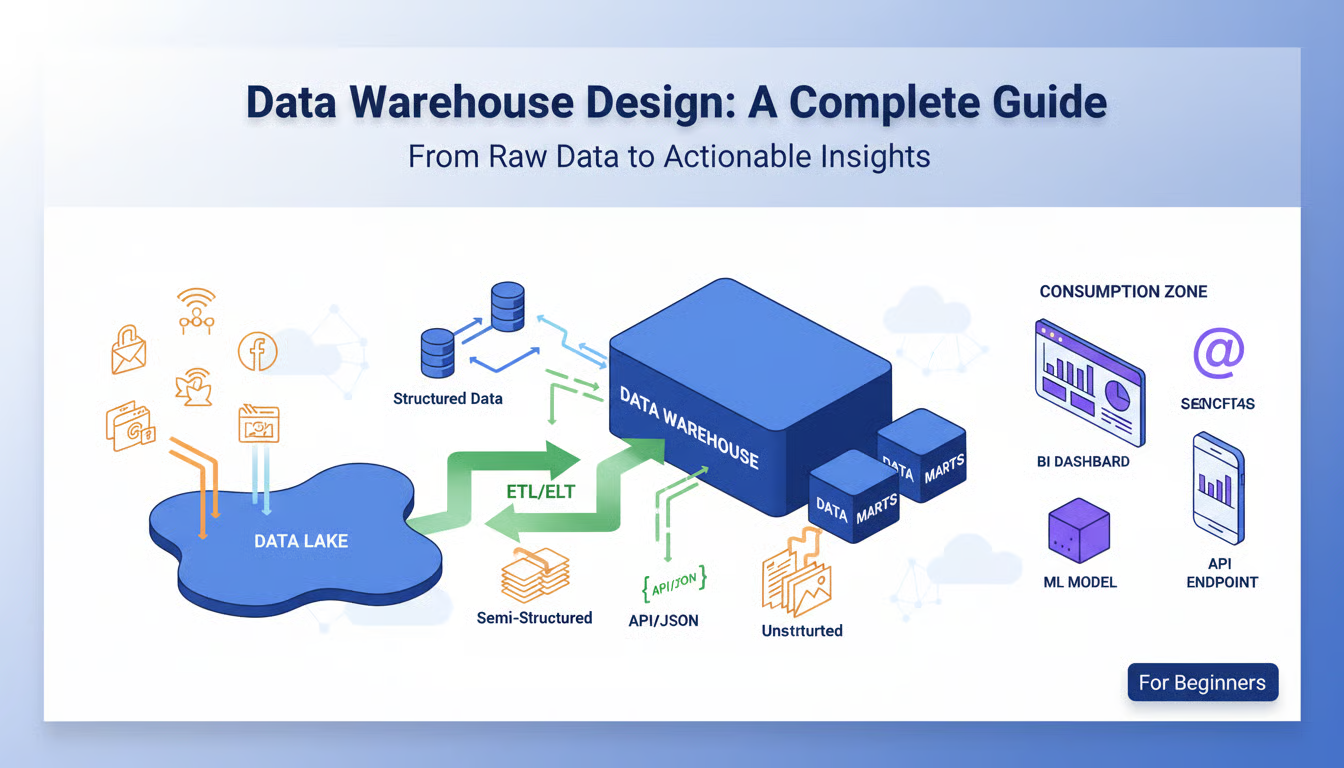
Extract means pulling data from source systems like databases, APIs, or files. Transform means cleaning, validating, and reshaping that data into a format useful for your business. Load means moving the processed data into a destination system like a data warehouse, data lake, or analytics platform.
Think of it like cooking: you extract ingredients from various sources, transform them through preparation and cooking, and load the finished meal onto plates.
Introducing Meltano
Meltano is an open-source ETL framework that makes building data pipelines significantly easier, especially for teams without extensive data engineering expertise. Rather than writing pipelines from scratch, Meltano provides pre-built connectors and a unified interface for orchestrating your entire workflow.
The name itself is a play on the concept of “melting” data together from multiple sources.
Why Choose Meltano?
Open-source and free: You don’t need to purchase expensive enterprise software. Meltano’s code is publicly available on GitHub.
Connector ecosystem: Meltano uses Singer-standard connectors (called taps and targets) that already integrate with hundreds of popular data sources and destinations. Need to connect to Salesforce? Stripe? Google Analytics? Chances are a connector already exists.
Low barrier to entry: You can get a functional pipeline running with minimal setup. If you’re comfortable with the command line and YAML, you can start building immediately.
Version control friendly: Meltano configurations are stored as code, making it easy to track changes, collaborate, and maintain pipelines across environments.
Core Concepts: Taps and Targets
Meltano uses two key concepts for moving data:
Taps are data extractors. They connect to source systems and pull data out. A tap might read from a PostgreSQL database, fetch data from an API, or read from cloud storage.
Targets are data loaders. They write data to destination systems. A target might load data into a data warehouse like Snowflake, a database like PostgreSQL, or a file format like Parquet.
This tap-and-target architecture means you can mix and match extractors and loaders. Extract from Salesforce with one tap and load into multiple targets. The flexibility is powerful.
Getting Meltano Up and Running
Setting up Meltano is straightforward. You’ll need Python 3.8 or later installed on your system.
Step 1: Install Meltano
pip install meltano
Step 2: Initialize a new Meltano project
meltano init my-data-project
cd my-data-project
This creates a project structure with configuration files and directories for your taps, targets, and transformation code.
Step 3: Add a tap (data source)
meltano add extractor tap-postgres
You’ll be prompted to configure the connection details like hostname, username, and password.
Step 4: Add a target (data destination)
meltano add loader target-jsonl
This adds a target that outputs data as JSON Lines, which is great for testing.
Step 5: Run your first pipeline
meltano run tap-postgres target-jsonl
That’s it! Your pipeline is running. Data flows from your PostgreSQL database into JSON files.
Configuration with meltano.yml
All Meltano configuration happens in a meltano.yml file. This is where you define your taps, targets, and pipelines:
projects:
  - id: my-project
    taps:
      - name: tap-postgres
        settings:
          host: localhost
          port: 5432
          database: mydb
          user: postgres
          password: secret

    targets:
      - name: target-jsonl
        path: ./output

    pipelines:
      - id: postgres-to-json
        taps: [tap-postgres]
        targets: [target-jsonl]
The beauty of this approach is that everything is version-controlled and reproducible. Team members can clone your project and immediately understand the pipeline configuration.
Adding Transformations
Extracting and loading data is only part of the story. Real-world pipelines need transformations.
Meltano integrates with dbt (data build tool) for transformation. With dbt, you write SQL to transform raw data into clean, business-ready datasets. Meltano orchestrates the entire workflow: extract, load, then transform.
meltano add transformer dbt-postgres
This integration means you’re not limited to simple data copying—you can build complex data models directly in your pipeline.
Real-World Example: Marketing Data Pipeline
Let’s imagine a practical scenario. Your marketing team needs data from Stripe (payment processor), Google Analytics, and your internal PostgreSQL database combined into a single analytics warehouse.
With Meltano, you’d:
- Add the Stripe tap and configure your API credentials
- Add the Google Analytics tap and authenticate
- Add your PostgreSQL tap
- Add a Snowflake target as your destination
- Create a pipeline that extracts from all three sources and loads into Snowflake
- Optionally, add dbt transformations to create clean analytics tables
Within hours, you’ve built what would typically take days with custom scripts.
Deployment Considerations
While Meltano works great locally during development, production deployments need orchestration. You can run Meltano on a schedule using cron jobs, or integrate it with orchestration tools like Apache Airflow or Dagster.
Meltano Cloud is also available for managed hosting if you prefer not to maintain infrastructure yourself.
Common Challenges for Beginners
Connector availability: While the connector ecosystem is extensive, not every data source has a tap available. In these cases, you might need to write a custom connector or use a different tool.
Performance at scale: Meltano works well for typical workloads, but massive data volumes may require optimization or alternative approaches.
Learning the Singer standard: Understanding how Singer connectors work helps when you need to troubleshoot or customize behavior.
Getting Started Today
The best way to learn Meltano is to start small. Pick a simple data source and destination, run a pipeline, and explore. The documentation is comprehensive, and the community is helpful.
Try connecting your favorite SaaS tool to a local database or cloud data warehouse. You’ll quickly see how powerful this approach is compared to manual data exports and scripts.
Final Thoughts
Meltano democratizes ETL. You no longer need a team of specialized engineers to build data pipelines. With Meltano’s pre-built connectors and simple configuration approach, anyone comfortable with the command line can create effective data workflows.
If you’re exploring ETL options, Meltano deserves a spot on your evaluation list. It’s especially valuable if you need flexibility, maintainability, and the ability to grow your pipeline complexity over time.
Ready to give it a try? Start with the Meltano documentation at docs.meltano.com and begin extracting, transforming, and loading data today.