
Introduction
In today’s data-driven world, businesses and applications generate more information than ever before. A data warehouse serves as the central repository where this data is collected, organized, and made available for analysis and decision-making. But with so many types of data warehouses available, how do you choose the right one for your needs? In this guide, we’ll break down the main types of data warehouses, their architectures, and the specific use cases where each excels—perfect for beginners starting their database design journey.
What Exactly is a Data Warehouse?
Before we dive into types, let’s clarify the core concept. A data warehouse is a specialized database system designed for query and analysis rather than transaction processing. Unlike operational databases (like those running an e-commerce site), data warehouses:
-
Store historical data from multiple sources
-
Are optimized for complex queries across large datasets
-
Use structured schemas for consistent reporting
-
Support business intelligence and analytical workloads
Now let’s explore the main types you’ll encounter.
1. Traditional Enterprise Data Warehouses (EDW)
What They Are
The classic, on-premises data warehouse solution that has been the backbone of corporate analytics for decades. Think of names like Teradata, Oracle Exadata, or IBM Db2 Warehouse.
Key Characteristics
-
Centralized architecture: All data flows into a single, unified repository
-
Strict schema design: Typically uses a star or snowflake schema
-
On-premises infrastructure: Requires physical servers and maintenance
-
ETL processes: Extract, Transform, Load workflows to prepare data
Best Use Cases
-
Large enterprises with stable, predictable data patterns
-
Regulated industries (finance, healthcare) with data sovereignty requirements
-
Legacy systems integration where migration is costly
-
Complex reporting that requires strict data consistency
Example Scenario
A multinational bank needs consolidated daily reports from 50+ branch systems with absolute data accuracy for regulatory compliance. An EDW provides the controlled environment they need.
2. Operational Data Stores (ODS)
What They Are
A hybrid between transactional databases and analytical warehouses, designed for near-real-time operational reporting.
Key Characteristics
-
Fresher data: Updated more frequently than traditional EDWs
-
Simpler transformations: Less aggregation than full warehouses
-
Operational focus: Supports day-to-day business decisions
-
Bridge function: Often sits between transactional systems and EDWs
Best Use Cases
-
Customer service dashboards needing current data
-
Real-time monitoring of business processes
-
Intermediate staging before data goes to the EDW
-
Applications requiring both transactional and analytical access
Example Scenario
An e-commerce company needs a dashboard showing today’s sales, inventory levels, and customer service tickets updated every 15 minutes for managers.
3. Data Marts
What They Are
Subsets of data warehouses focused on a single business function or department.
Key Characteristics
-
Department-specific: Marketing, sales, finance, etc.
-
Smaller scope: Faster to implement than full EDWs
-
Simpler access: Tailored to specific user groups
-
Two types: Dependent (sourced from EDW) or independent (standalone)
Best Use Cases
-
Departmental analytics with specialized needs
-
Proof-of-concept projects before enterprise rollout
-
Business units with unique security requirements
-
Quick wins where full EDW implementation is too slow
Example Scenario
The marketing department needs specialized analytics on campaign performance without waiting for the IT department to prioritize their needs in the corporate EDW.
4. Cloud Data Warehouses
What They Are
The modern evolution of data warehousing, offered as a managed service in the cloud.
Key Characteristics
-
Fully managed: No infrastructure to maintain
-
Elastic scaling: Pay for what you use, scale on demand
-
Modern architecture: Often separate storage and compute
-
Built-in features: Native support for semi-structured data, machine learning, etc.
Popular Options
-
Amazon Redshift: Columnar storage, SQL-based
-
Google BigQuery: Serverless, autoscaling
-
Snowflake: Unique multi-cluster architecture
-
Azure Synapse Analytics: Microsoft’s integrated analytics service
Best Use Cases
-
Startups and SMBs without infrastructure teams
-
Variable workloads with seasonal or unpredictable spikes
-
Modern data stacks with diverse data sources
-
Experimentation and prototyping with low upfront cost
Example Scenario
A growing SaaS company needs to analyze user behavior data that varies from 10GB to 1TB monthly depending on marketing campaigns and customer acquisition cycles.
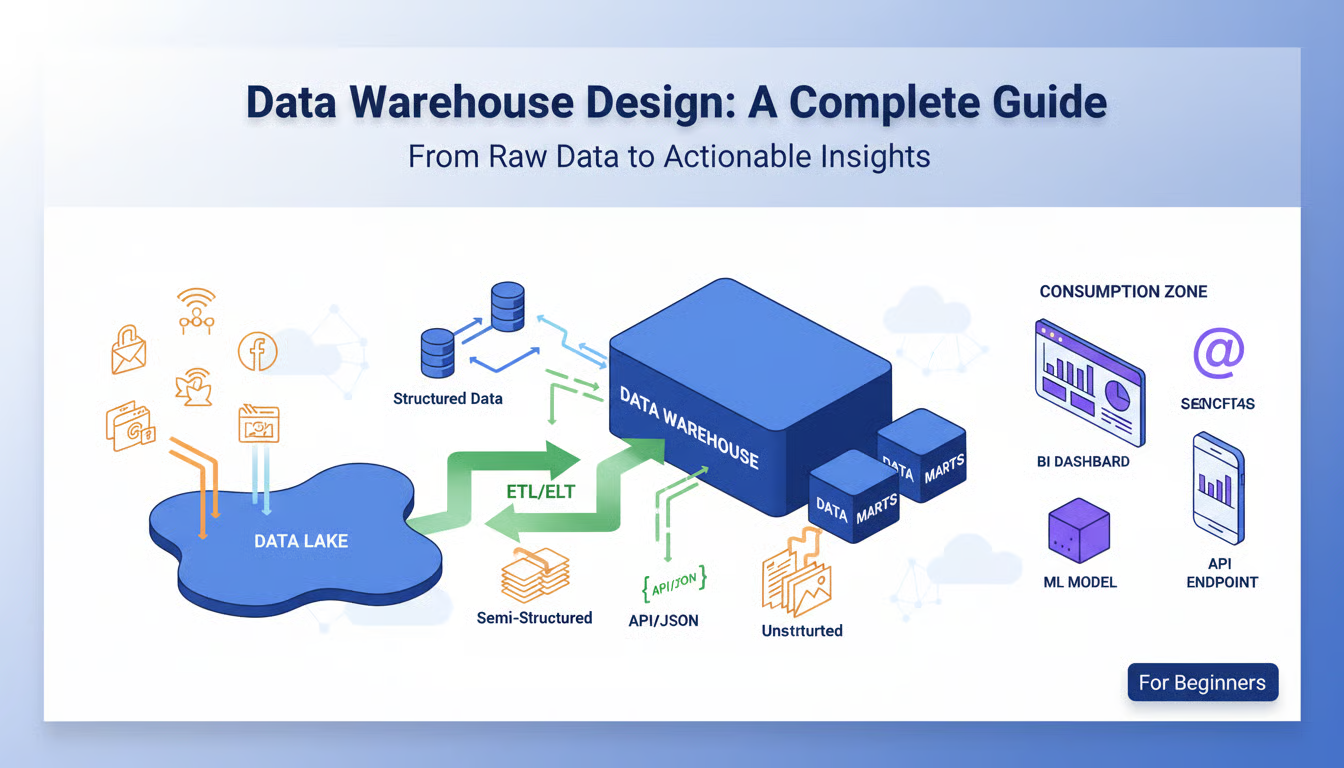
5. Data Lakes
What They Are
While not strictly data warehouses, data lakes are increasingly part of the analytical ecosystem. They store raw data in its native format.
Key Characteristics
-
Schema-on-read: Structure applied when data is queried, not stored
-
All data types: Structured, semi-structured, and unstructured
-
Cost-effective storage: Often built on object storage like S3
-
Flexible but complex: Powerful but requires governance
Best Use Cases
-
Big data processing with Hadoop/Spark ecosystems
-
Machine learning training data storage
-
Raw data preservation before determining use cases
-
IoT and log data with unpredictable structure
Example Scenario
A manufacturing company collects sensor data from equipment (time-series), maintenance logs (text), and quality control images—all needing analysis together.
6. Hybrid and Multi-Cloud Solutions
What They Are
Architectures combining on-premises and cloud resources, or multiple cloud services.
Key Characteristics
-
Flexible deployment: Data and workloads where they make sense
-
Vendor diversification: Avoid lock-in, leverage best-of-breed
-
Complex management: Requires careful design and orchestration
-
Modern approach: Reflects real-world business constraints
Best Use Cases
-
Cloud migration in progress
-
Compliance requirements keeping some data on-premises
-
Global organizations with regional data residency laws
-
Cost optimization using different platforms for different workloads
Example Scenario
A European retailer keeps customer PII data in an on-premises EDW for GDPR compliance but uses Snowflake for analyzing anonymized purchase patterns.
Comparison Table
| Type | Implementation Time | Cost Structure | Skill Requirement | Best For |
|---|---|---|---|---|
| Traditional EDW | Months to years | High upfront capital | Specialized DBA skills | Stable, regulated enterprises |
| ODS | Weeks to months | Moderate | Moderate database skills | Near-real-time operations |
| Data Mart | Weeks | Low to moderate | Business-domain focused | Departmental analytics |
| Cloud Warehouse | Days to weeks | Pay-as-you-go | SQL and cloud fundamentals | Startups, variable workloads |
| Data Lake | Varies widely | Storage-optimized | Data engineering skills | Raw data, ML, big data |
| Hybrid | Complex integration | Mixed models | Architectural expertise | Migration, global compliance |
Choosing Your Path: A Decision Framework
As a beginner, follow these steps to select your data warehouse type:
-
Assess Your Data Sources
-
How many systems will feed data?
-
What formats (structured, JSON, images)?
-
What volume and velocity?
-
-
Define Your Use Cases
-
Who are the users (analysts, customers, applications)?
-
What questions need answering?
-
How current must the data be?
-
-
Evaluate Constraints
-
Budget (upfront vs. operational expenditure)
-
Team skills (SQL, cloud, data engineering)
-
Compliance requirements (GDPR, HIPAA, etc.)
-
Timeline for implementation
-
-
Consider Future Growth
-
Will needs scale predictably or unpredictably?
-
Are new data sources likely?
-
Will analytical needs become more complex?
-
Common Beginner Pitfalls to Avoid
-
Over-engineering early: Start simple, often with a cloud data warehouse or data mart
-
Ignoring data quality: No warehouse fixes bad source data
-
Underestimating maintenance: Even cloud solutions need monitoring and optimization
-
Choosing based on hype: Match technology to actual business needs, not trends
-
Neglecting user training: The best warehouse fails if people can’t use it
The Evolving Landscape: What Beginners Should Watch
As you start your journey, keep an eye on:
-
Data lakehouses: Emerging architectures combining lake flexibility with warehouse performance (Delta Lake, Apache Iceberg)
-
Real-time analytics: Increasing demand for sub-second insights
-
Automated data management: AI-driven optimization and tuning
-
Simplified interfaces: Low-code/no-code tools making analytics more accessible
Conclusion
Choosing your data warehouse is one of the most significant decisions in your data architecture journey. For beginners, I generally recommend starting with a cloud data warehouse like Snowflake or BigQuery—they offer the best balance of power, scalability, and manageable complexity. They let you focus on learning data modeling and SQL without getting overwhelmed by infrastructure management.
Remember that the “best” data warehouse is the one that aligns with your specific needs, constraints, and growth trajectory. Start with a clear understanding of what questions you need to answer, who needs answers, and how quickly they need them. Your data warehouse should serve your business goals, not the other way around.
As you gain experience, you’ll develop intuition for when to leverage different architectures—perhaps a data lake for raw IoT data, a cloud warehouse for business reporting, and a data mart for specialized departmental analytics. The modern data ecosystem is increasingly pluralistic, with different tools serving different purposes within the same organization.
Welcome to the fascinating world of data architecture—where you’re not just storing information, but building the foundation for insights, decisions, and innovation.